
Campaigns
A campaign sends one approved template to many customers: everyone, or people with certain tags. Only message people who agreed to hear from you - many blocks lower your number’s quality.
Send a campaign
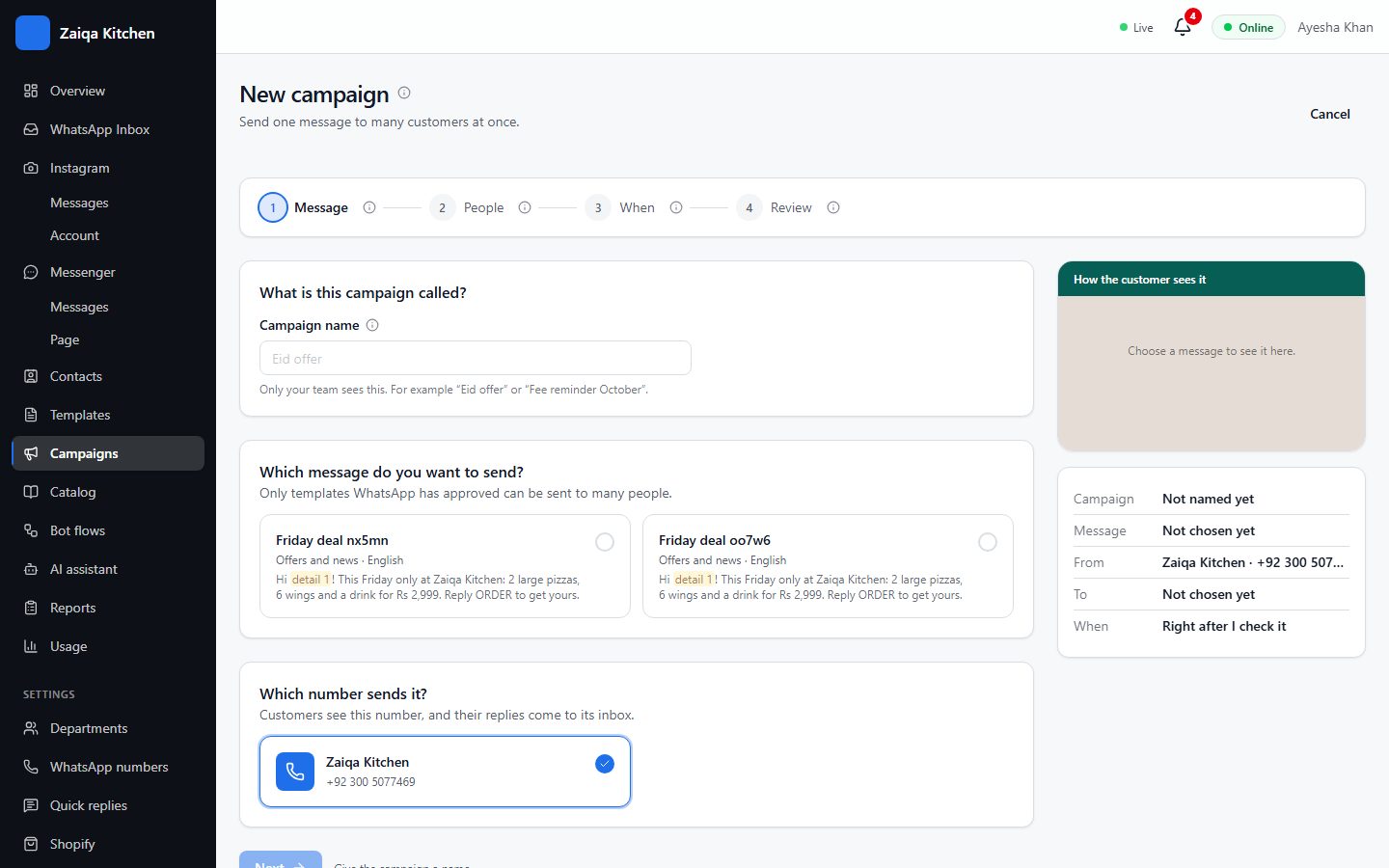
- 1Open Campaigns and press New campaign.
- 2Name it, choose the template and the number it goes from.
- 3Choose who gets it: all contacts, or people with the tags you pick. People who wrote STOP are always left out.
- 4Fill the changing details, such as each person’s name.
- 5Send now, or choose a day and time. Check the review - people, estimated cost - and press Start campaign.
Follow it
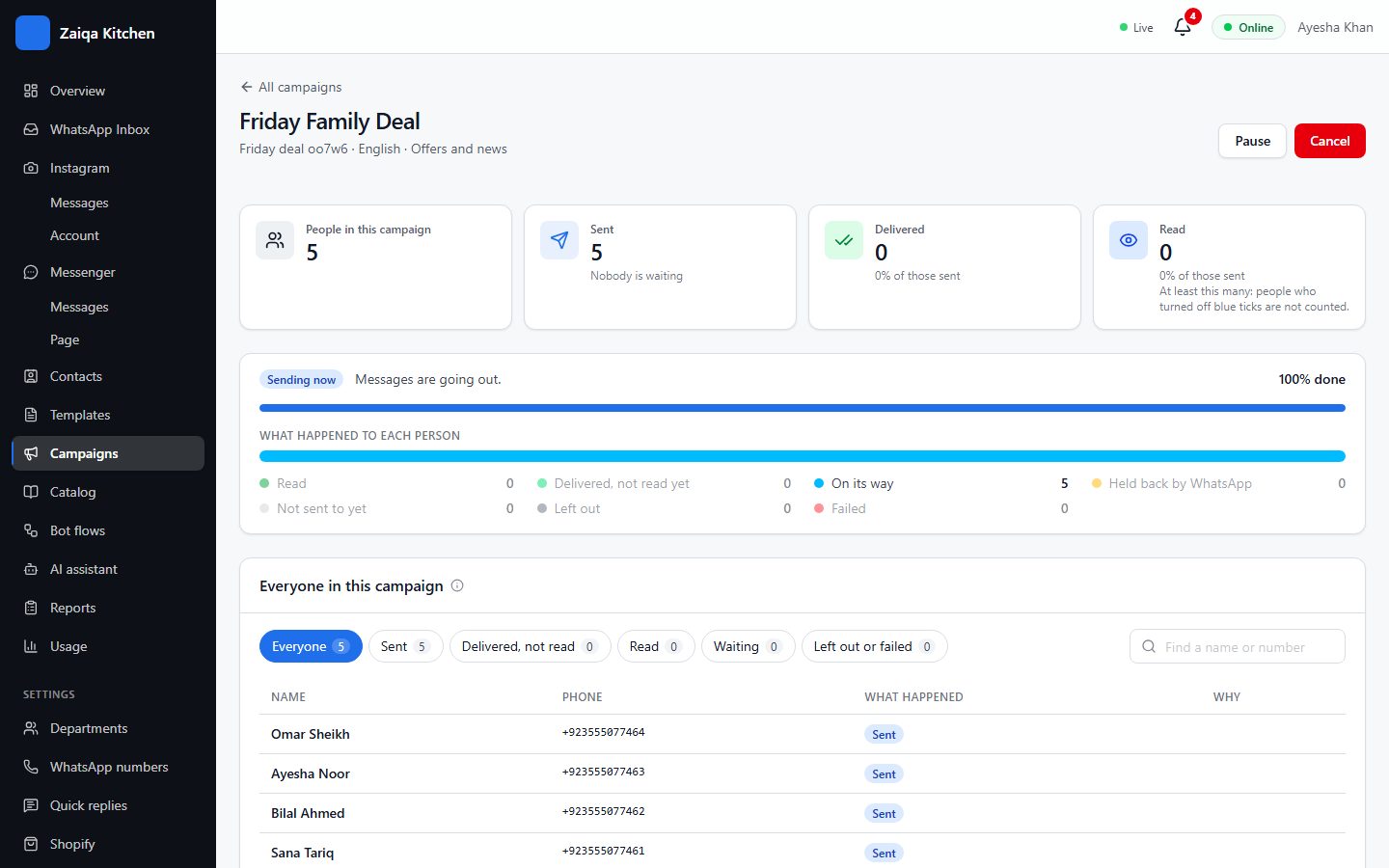
Sent, delivered, read and failed (with Meta’s reason) for each person, as Meta reports them. Large campaigns are sent within your daily limit and carry on by themselves the next day; you can pause one while it is sending.
Try it on your own WhatsApp
Free for 7 days. No card needed.