
Connect your WhatsApp number
HelpDesk uses Meta’s official WhatsApp Business Platform. You connect your number once, with your Facebook account; after that every message to it arrives in your inbox.
Connect a number
- 1Open Settings > WhatsApp numbers and press Connect WhatsApp.
- 2Log in with Facebook and choose (or create) your Meta business.
- 3Choose your WhatsApp Business account and the number.
- 4Type the code WhatsApp sends to the number by SMS or call.
- 5Back in HelpDesk the number shows as Connected.
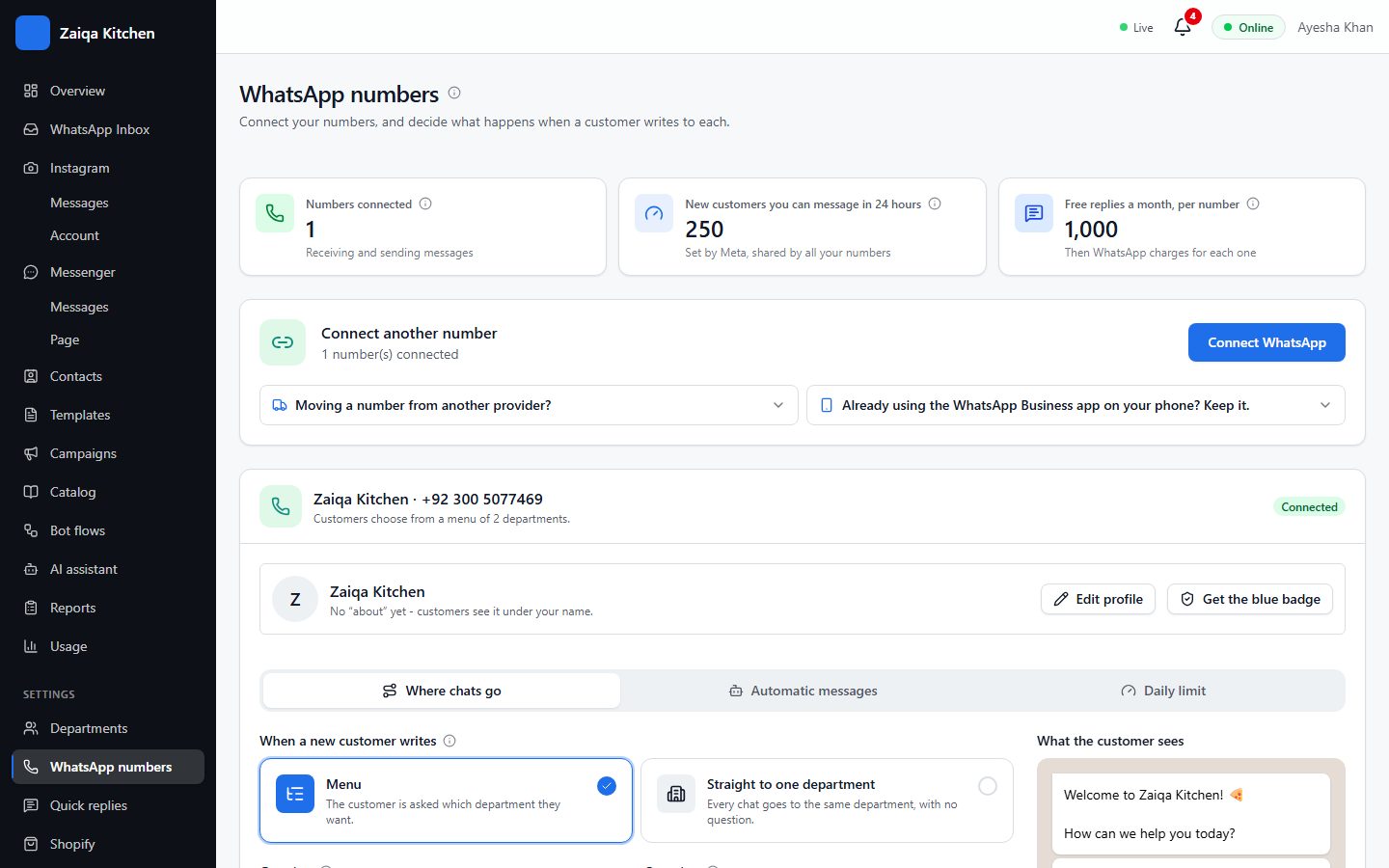
Already using the WhatsApp Business app?
Choose "Already using the WhatsApp Business app on your phone? Keep it". Your number stays in the app on your phone and works here as well: your team answers from HelpDesk while you can still use the phone.
Add a payment method
Meta charges directly for some messages - templates you start a conversation with, and campaigns. Add a card in WhatsApp Manager (business.facebook.com) under Payment settings. Replies within 24 hours of a customer’s message are free up to your monthly allowance.
Your number stays yours
A number stays linked to your workspace even if you disconnect it, so nobody else can connect it by mistake. To move a number to another workspace, ask our support team to release it.
Try it on your own WhatsApp
Free for 7 days. No card needed.
Related guides
- Departments and routingSend each chat to the right team with a menu of departments, each with its own hours.
- The shared inboxEvery WhatsApp chat in one place for your whole team: reply, transfer, note, label and search.
- Message templatesMessages Meta approves in advance, for reaching customers first and for campaigns.