
Sign up and start your free trial
Your workspace is your business’s own place on HelpDesk: your team signs in there, and your WhatsApp chats arrive there. Signing up takes about two minutes.
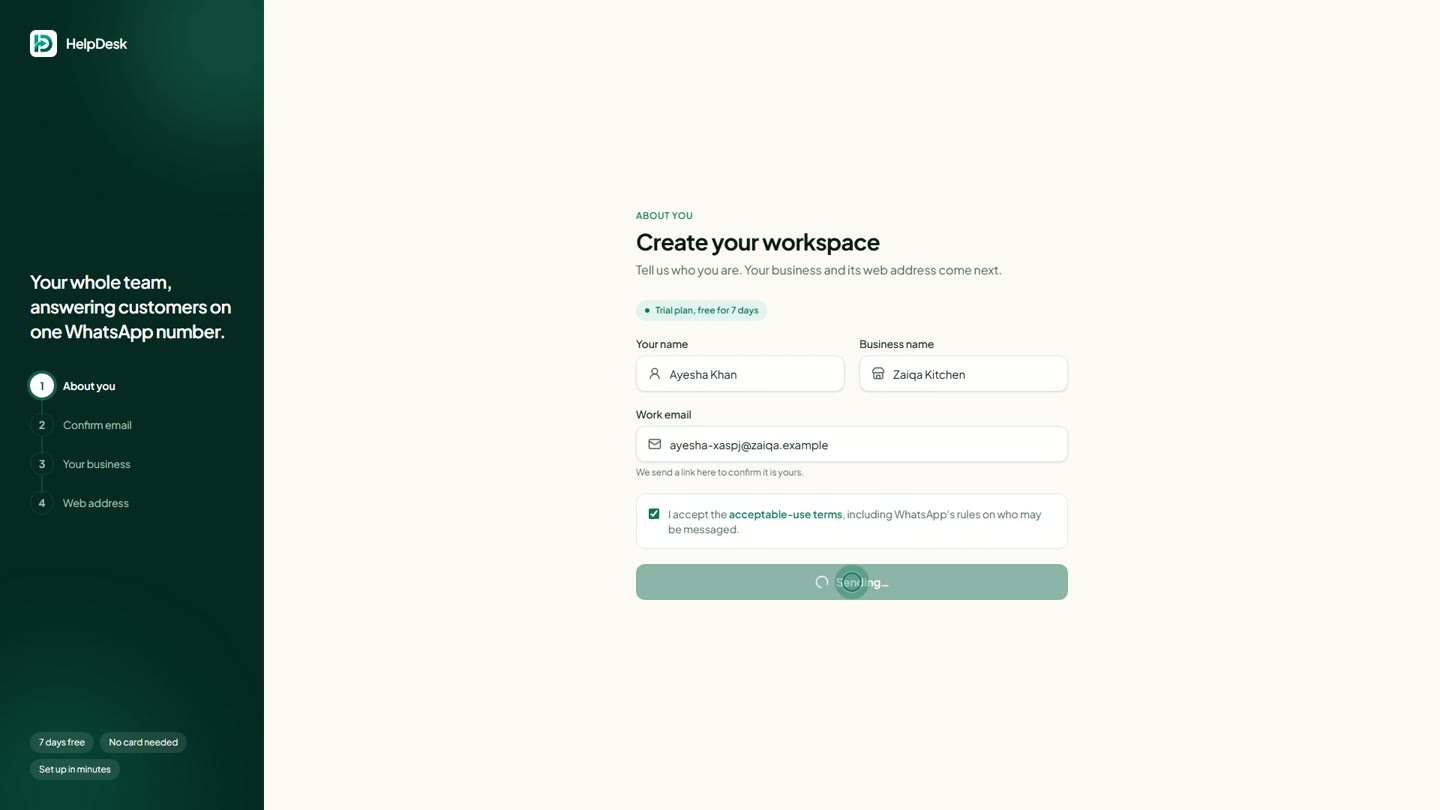
1. About you
- 1Go to helpdesk.com.pk and press Start free trial.
- 2Enter your name, your business name and your work email.
- 3Tick the acceptable-use terms and press Send me the link.
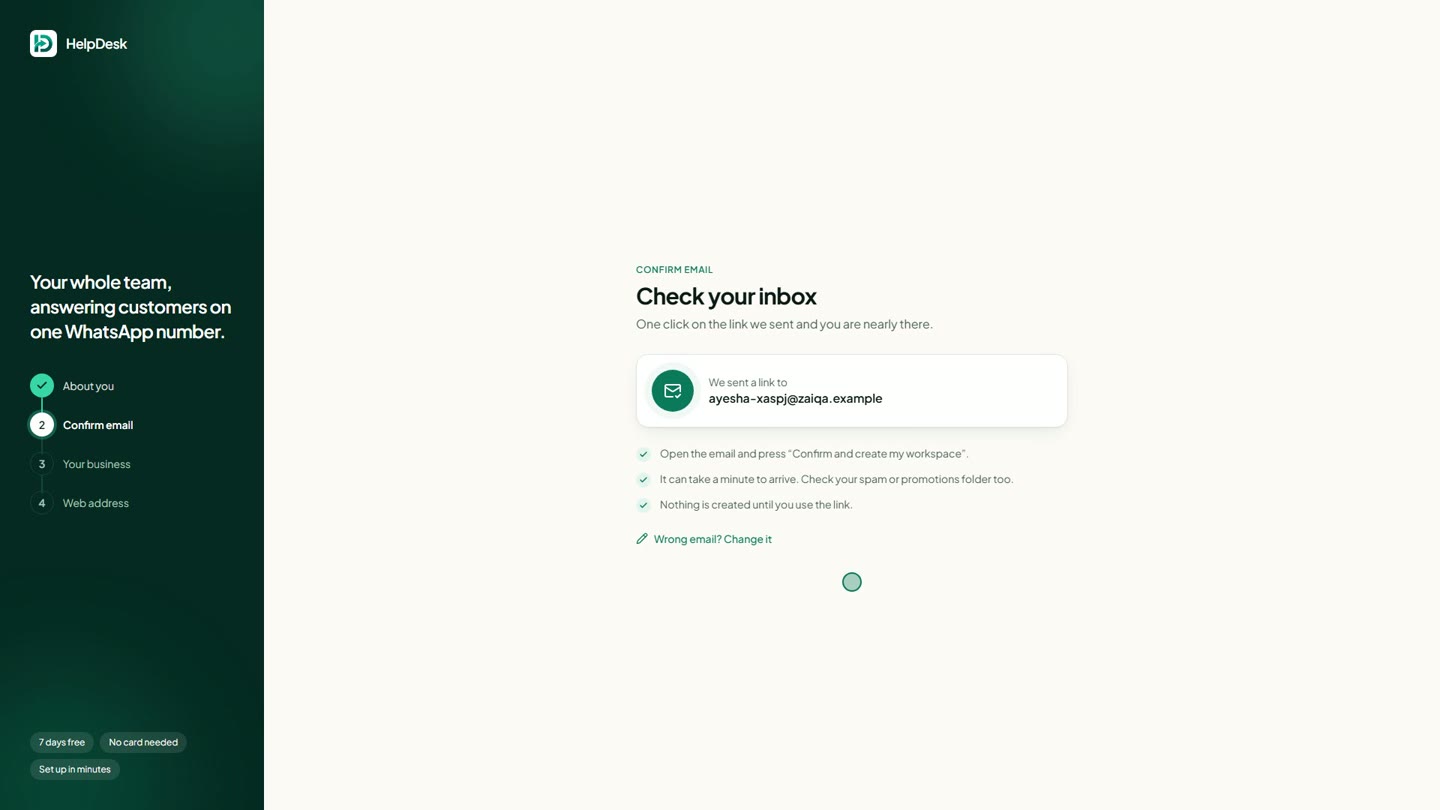
2. Confirm your email
We email you a link to make sure the address is really yours. Nothing is created until you open it. If you do not see it within a minute, check your spam or promotions folder; "Wrong email? Change it" lets you correct a typo.
3. Your business
Pick the kind of business you are. Your workspace starts with ready-made catalogs for it - a restaurant gets Menu items and Food orders, a shop gets Products and Orders - which you can change any time.
Write what you sell or offer (your AI assistant starts from this), and your WhatsApp number. Find your country by typing its name or its code, such as +92.
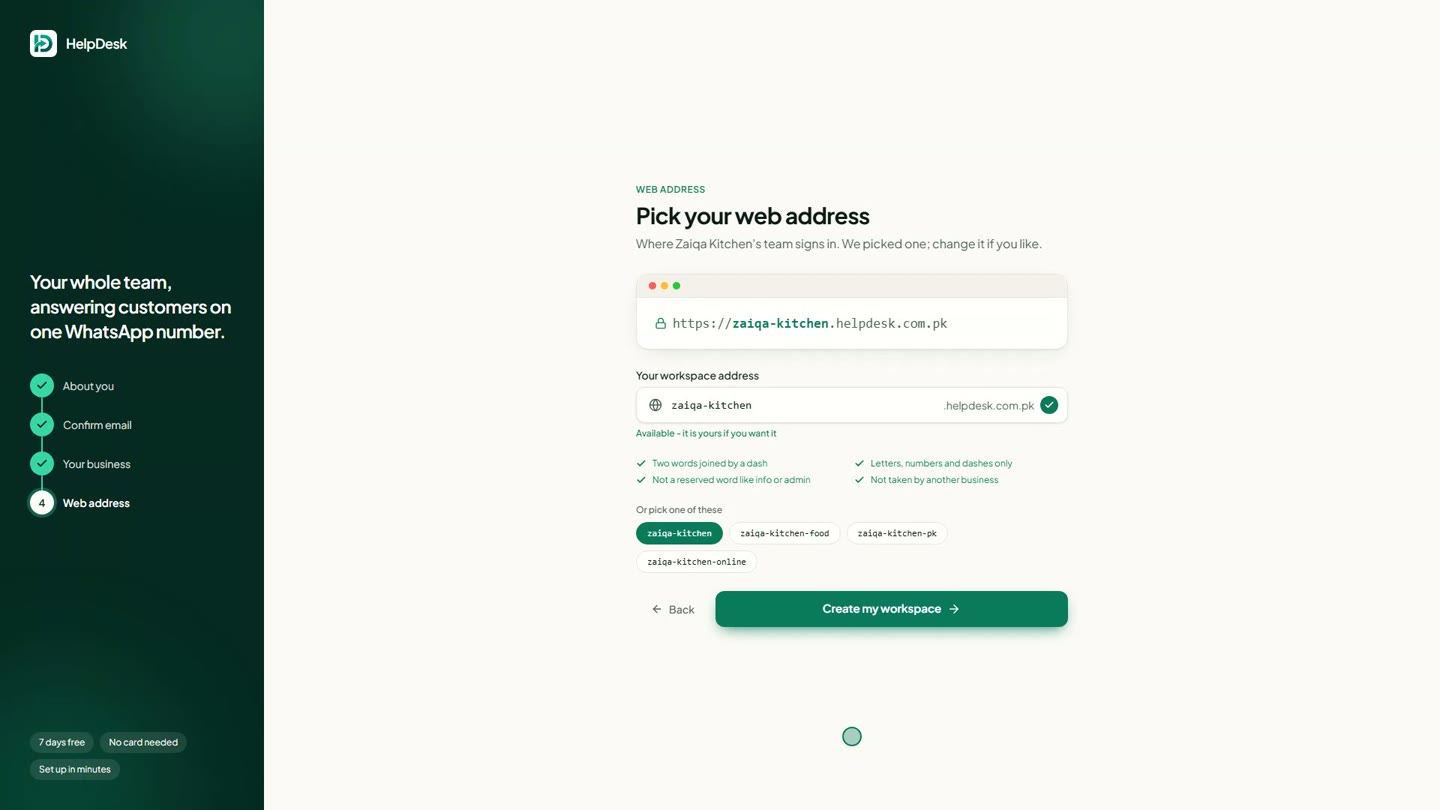
4. Your web address
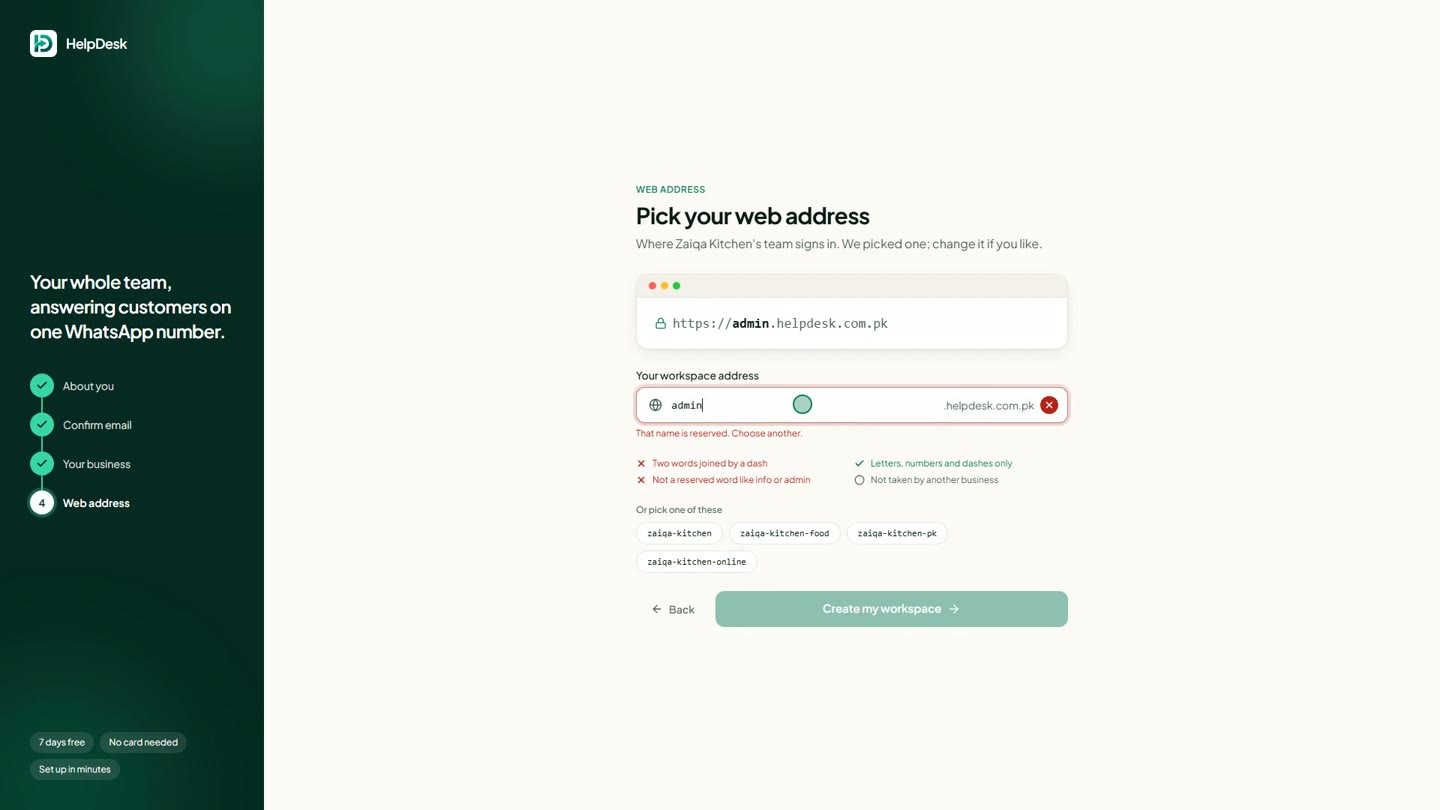
This is where your team signs in, for example zaiqa-kitchen.helpdesk.com.pk. We suggest one from your business name; you can change it. It must be two words joined by a dash, and words every company uses (info, admin, contact...) are kept back. The checks turn green as you type, and a few free alternatives are one click away.
Your first look
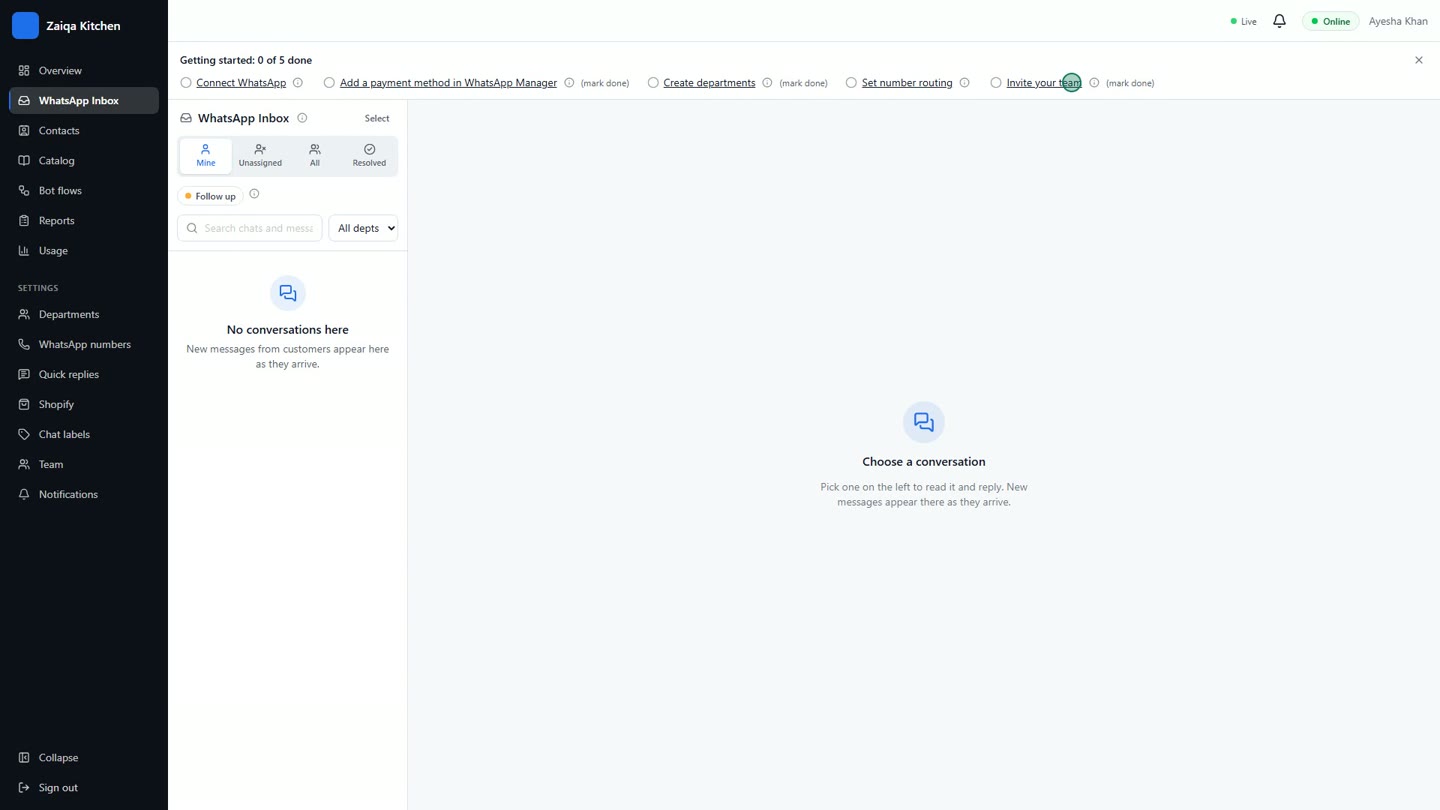
Set a password and you are in. The Getting started checklist shows what to do first: connect WhatsApp, add a payment method in WhatsApp Manager, create departments, set routing and invite your team.
When the trial ends
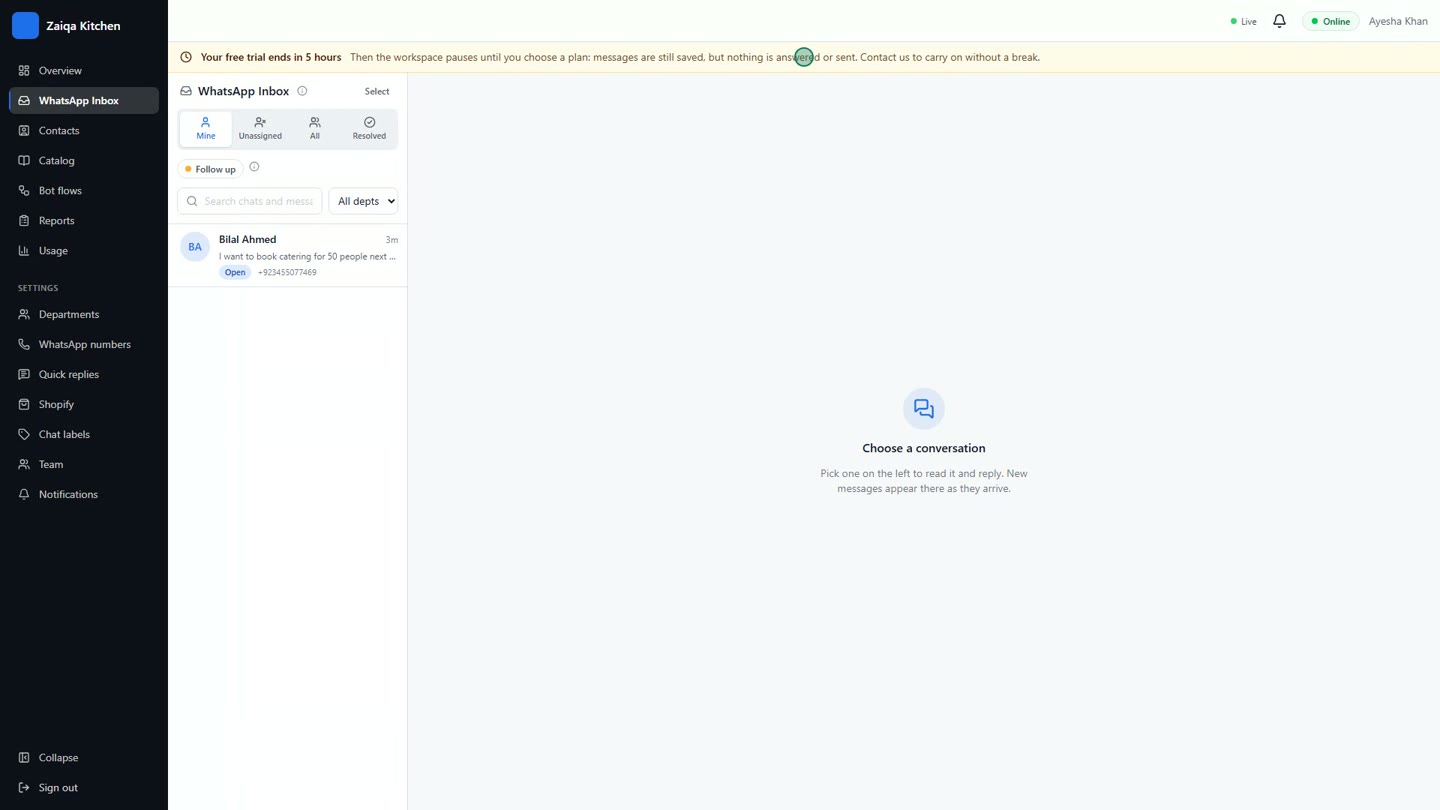
The day before your trial ends you get an email and see a reminder in your dashboard. If you have not chosen a plan by then, the workspace pauses: your customers can still message you and every message is saved, but nothing is answered or sent. Contact us to choose a plan and everything starts again straight away, just as you left it.
Try it on your own WhatsApp
Free for 7 days. No card needed.
Related guides
- Connect your WhatsApp numberLink your business number with Facebook in a few clicks, or keep using the WhatsApp Business app.
- The overview dashboardToday at a glance: who is waiting, open chats, messages and where chats are going.
- Usage, plans and AI creditsYour plan’s limits, what you used this month, what WhatsApp charges for, and AI credits.