
Shopify
Connect your Shopify store and its products and orders arrive as two catalogs, kept up to date by Shopify itself. The AI answers questions about products - options, prices, stock - and customers can check where their order is.
Connect your store
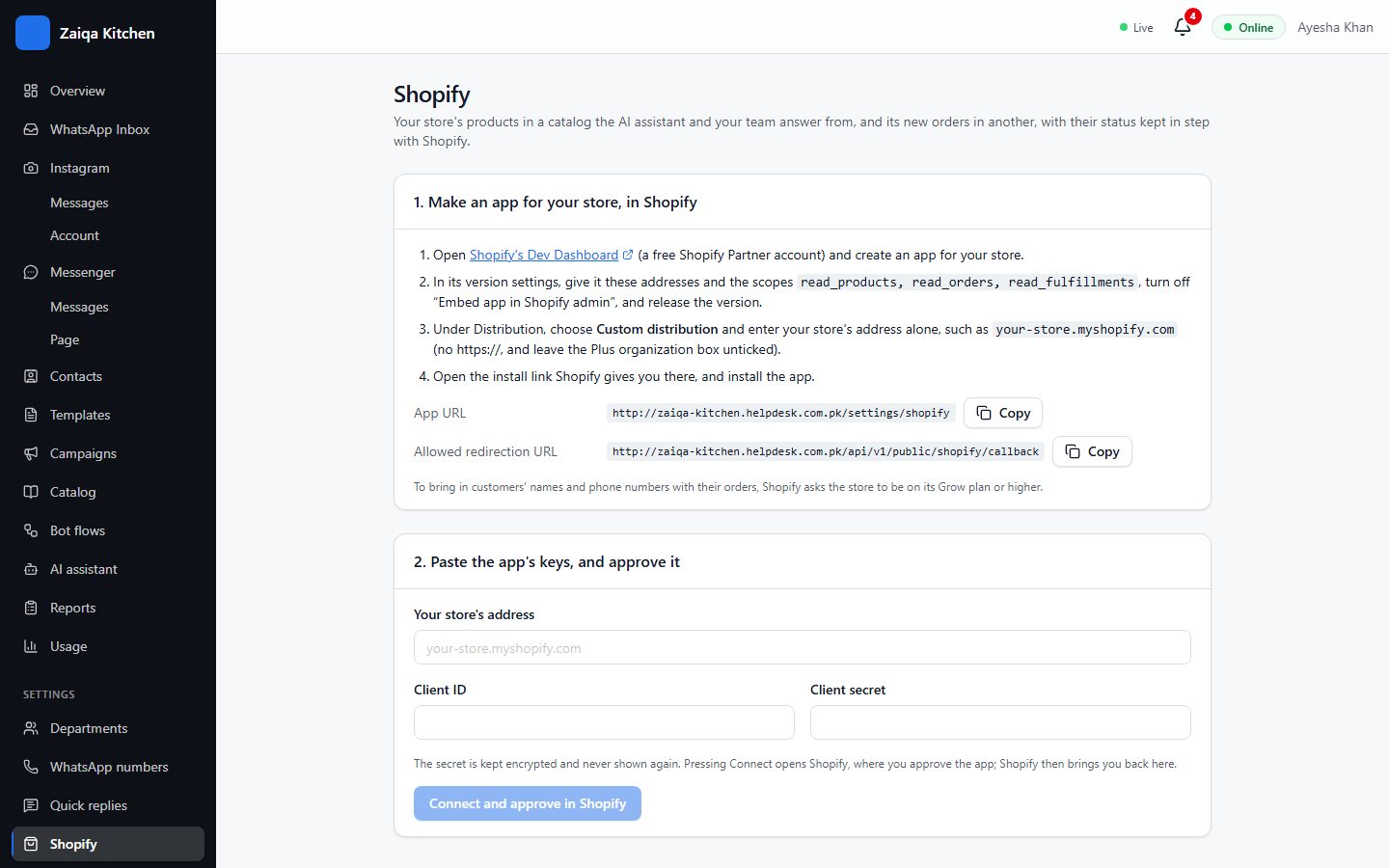
- 1Open Settings > Shopify (owners and admins).
- 2In Shopify’s Dev Dashboard, make an app for your store: paste our App URL and redirection URL (copy buttons on the page) and give it the read products and read orders permissions.
- 3Paste the app’s Client ID and Client secret, and your store address.
- 4Press Connect and approve in Shopify. You come back to HelpDesk, connected.
What you get
Shopify products: names, options with their prices (size, colour...), stock, description, link and photo - available to the AI and to your team. Shopify orders: number, items, total, payment and tracking, with a ready message for each status. A customer who sends their order number gets its status, checked against their phone number.
Try it on your own WhatsApp
Free for 7 days. No card needed.