
The shared inbox
Every message to your WhatsApp number arrives in the inbox, live, for everyone who should see it. Nobody replies twice and nothing is missed.
Whose chat is it
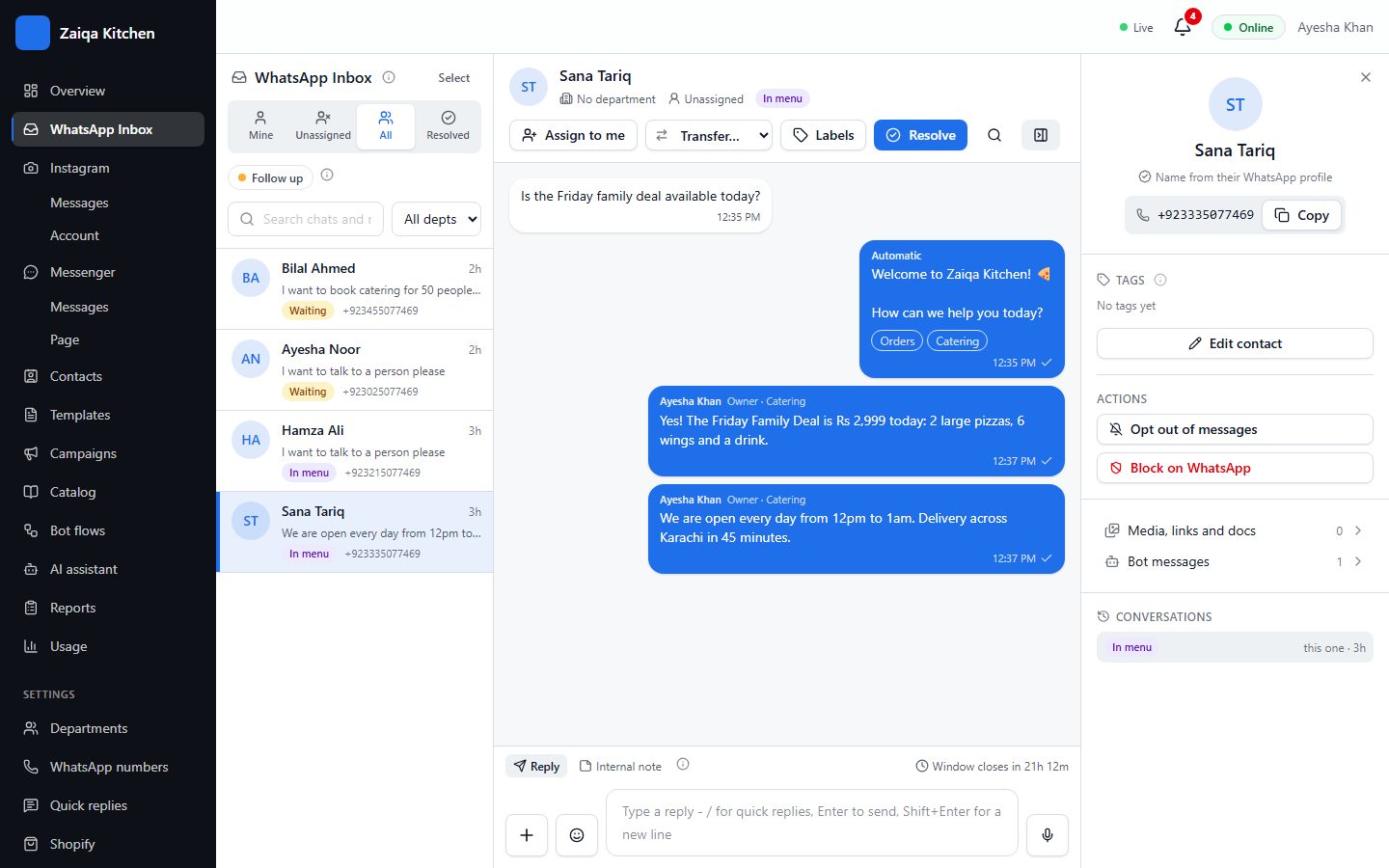
Mine: chats given to you. Unassigned: waiting in a queue for someone to take them. All: every open chat you are allowed to see. Resolved: finished chats - if the customer writes again, the chat opens again.
Replying
Type and press Enter. Use the + button to send a photo, video, document, voice note or a location. Type / to pick a quick reply. WhatsApp lets you write freely for 24 hours after the customer’s last message; after that, only an approved template can reach them, and the box shows how long is left.
Internal notes
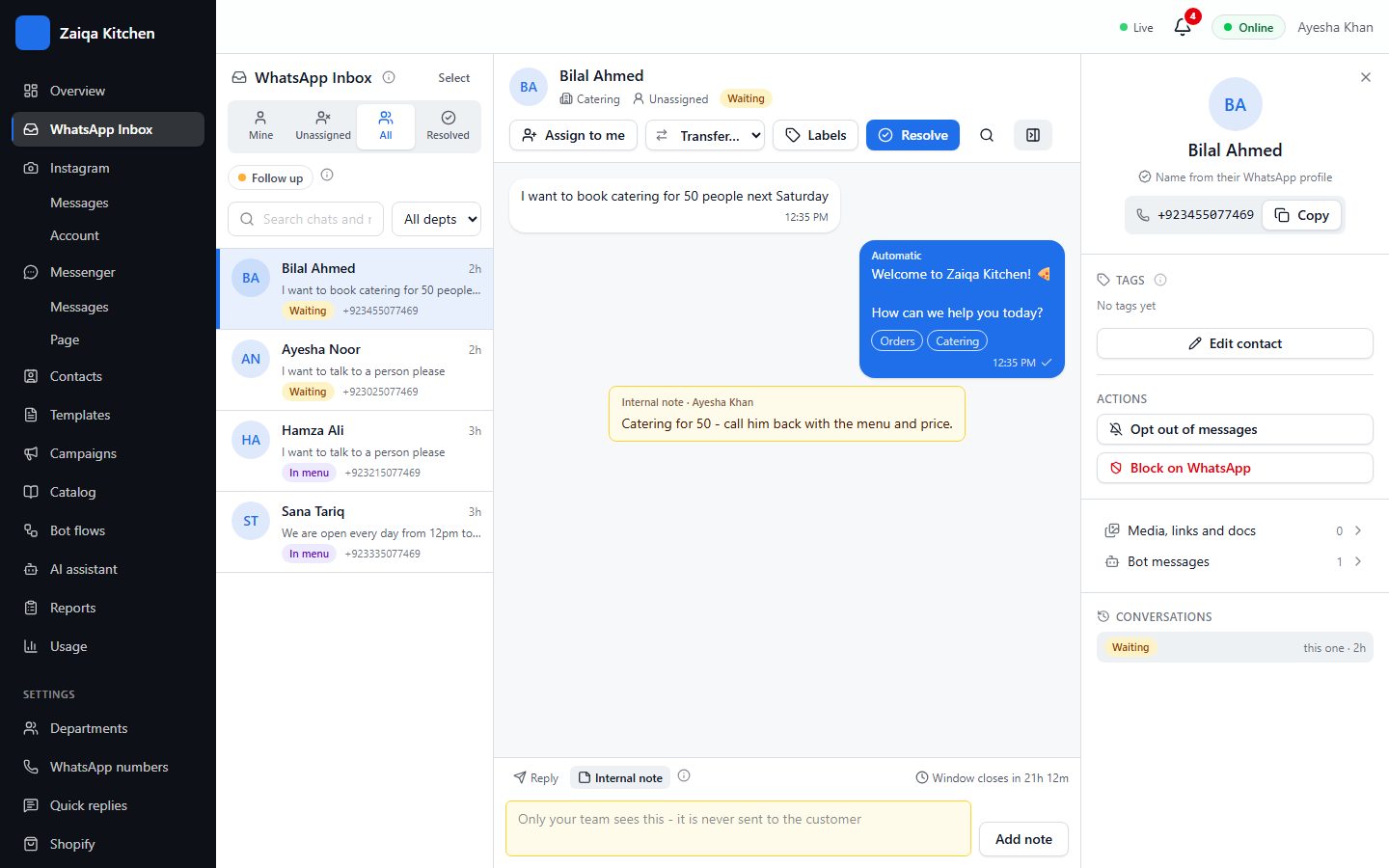
Switch to Internal note to leave a message only your team sees - what the customer asked before, a promise you made, a reminder to call back.
Assign, transfer, resolve
Assign to me takes a chat. Transfer sends it to another person or department, with its history. Resolve closes it when you are done; a thank-you message can go automatically.
Labels and follow-ups
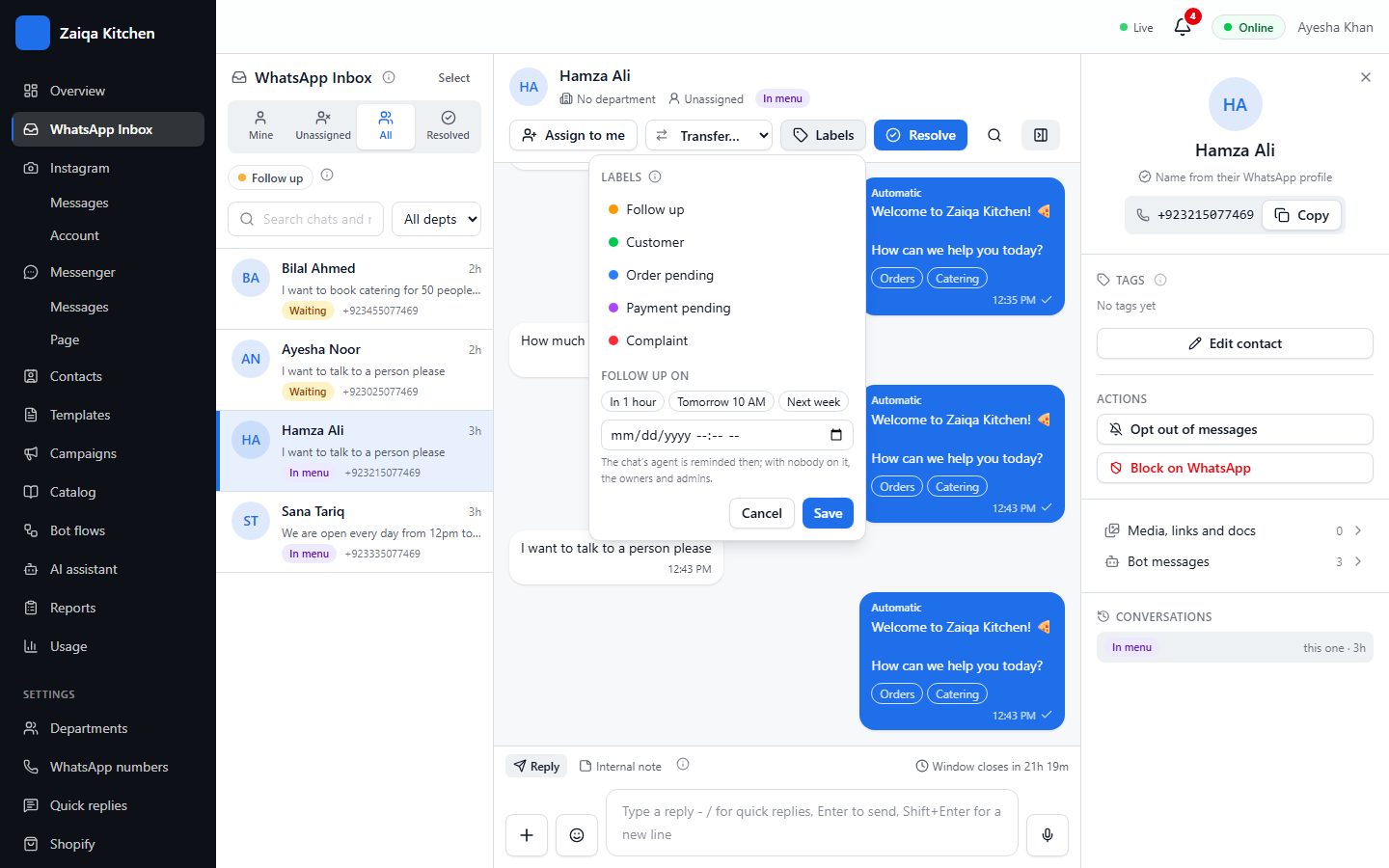
Put labels such as VIP or Order pending on a chat with the Labels button. A follow-up date reminds you, in the bell and on your phone, when it is time to get back to the customer.
Search everything
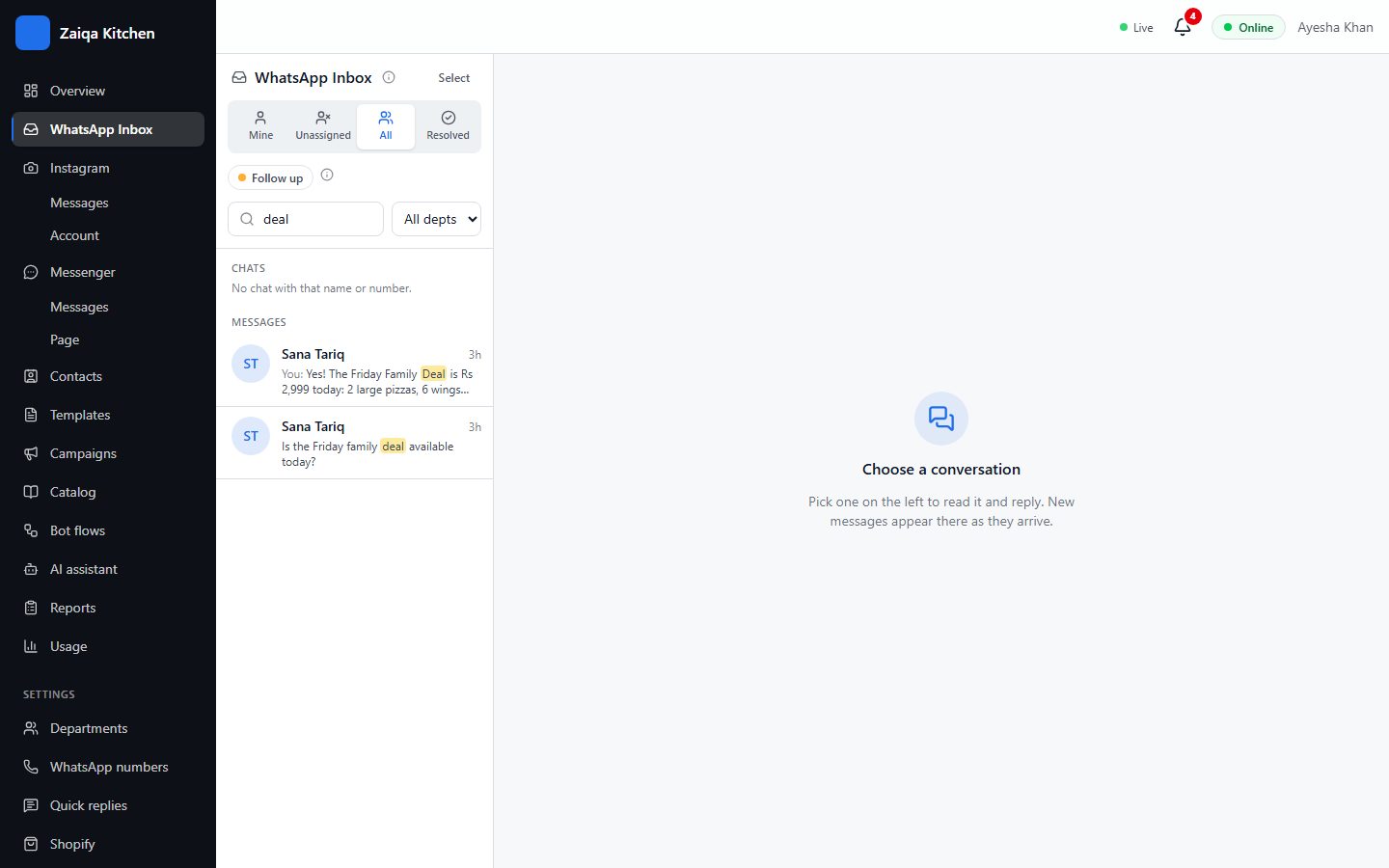
Type two letters or more in the search box: it finds chats by name or number, and messages with those words in any chat you may see, like WhatsApp does.
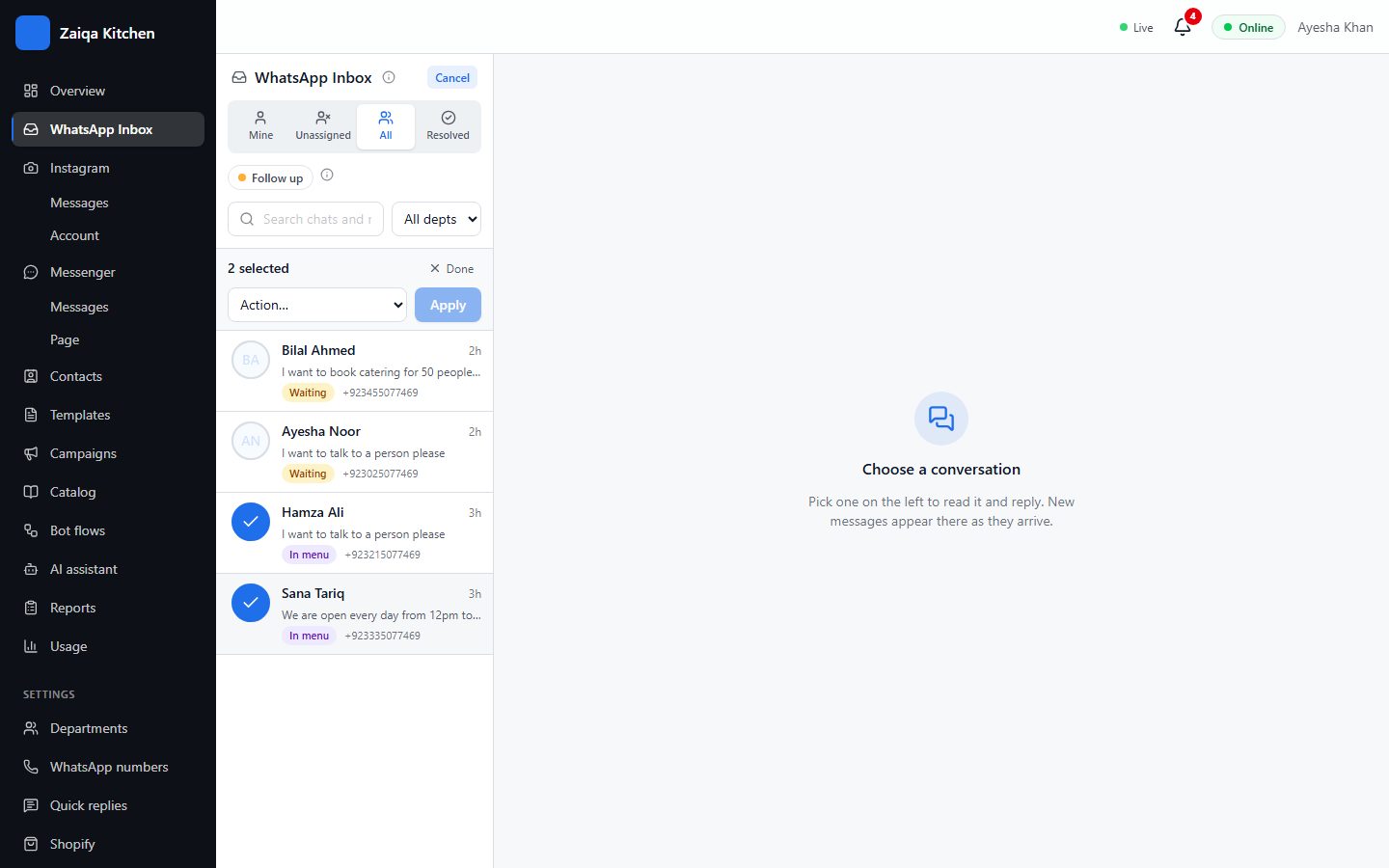
Several chats at once
- 1Press Select at the top of the list.
- 2Tick the chats.
- 3Choose an action - assign to me, transfer, add or remove a label, resolve - and press Apply.
Try it on your own WhatsApp
Free for 7 days. No card needed.
Related guides
- Quick repliesSave the answers you type every day and send them with a shortcut.
- Chat labelsSort chats with coloured labels, and show the important ones as tabs.
- Departments and routingSend each chat to the right team with a menu of departments, each with its own hours.
- Your team and their rolesInvite your staff, each with their own login and only what they need to see.